Table of Contents
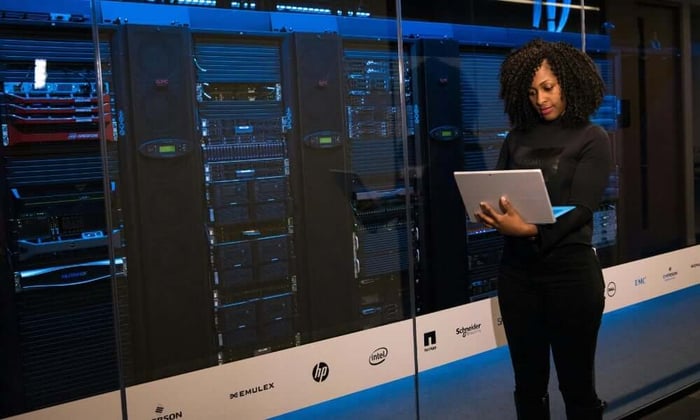
You walk into the office on Monday morning, coffee in hand, ready to tackle the week. Then you get the call. The server room overheated over the weekend. Three servers are down. Nobody knew until employees started complaining that they couldn't access files.
Sound familiar?
Here's what most people don't realize: hardware failure usually isn't the first problem. Temperature is. A failed air conditioner, a clogged air filter, or even a hot summer day can push server room temps past safe limits. Once that happens, equipment starts throttling performance, throwing errors, or shutting down completely.
The fix isn't better hardware. It's knowing what's happening before things break.
When Temperature Goes Wrong
Server rooms need to stay cool. Most manufacturers recommend keeping temperatures between 64°F and 80°F for optimal performance. Go above that range, and you're asking for trouble.
Overheating doesn't always kill a server immediately. Sometimes it's slower. Processors start thermal throttling to protect themselves. Hard drives develop bad sectors. Fans work harder and burn out faster. Over months, what seemed like minor heat exposure turns into expensive replacements and unexpected downtime.
Then there's humidity. Too much moisture and you risk condensation forming inside the equipment. Too little and static discharge becomes a real threat. Most IT gear runs best between 40% and 60% relative humidity.
Power issues complicate things further. A brief outage might not seem like a big deal until the HVAC system goes offline and temps start climbing. By the time power returns, the damage could already be done.
What makes this frustrating is how preventable these problems are. Most server room disasters give you warning signs if you're actually watching.
Why Traditional Monitoring Falls Short
Plenty of businesses already have some kind of monitoring in place. Maybe it's a cheap temperature sensor. Maybe it's built into the building management system. The problem shows up when you actually need it to work.
Here's a common scenario: the power flickers during a storm. Your Wi-Fi router reboots. During those few minutes of downtime, your monitoring device loses connection. The air conditioning also went offline, and now the server room is heating up. But your monitor can't send alerts because it depends on the same network that just went down.
You find out about the problem hours later when someone notices servers are running hot or not responding at all.
Wi-Fi-based monitors create a dependency loop. They need your network to tell you when your network infrastructure is in danger. That's like asking someone to call you after they've already left the building.
Some systems are worse. They require complex setup processes, proprietary software, or regular manual checks. Others send alerts to a single email address that maybe three people actually monitor.
The whole point of monitoring is catching problems early. If the monitoring system itself has a single point of failure, you haven't actually solved the problem.
Cellular Changes Everything
This is where cellular connectivity makes a difference.
A monitor with built-in cellular doesn't care if your Wi-Fi is down. It doesn't need your network at all. It connects directly to cell towers the same way your phone does. Power outage takes down your router? Your monitor keeps sending data. Is your internet service provider having issues? Doesn't matter.
This independence means you get alerts when you actually need them during the outage itself, not after someone notices the servers crashed.
For businesses with multiple locations, cellular monitoring solves another headache. That remote office 200 miles away might not have a dedicated IT staff. Maybe it's just a small server closet in a warehouse. Setting up Wi-Fi monitoring there means coordinating with whoever manages that building's network, getting passwords, and troubleshooting connection issues.
Cellular monitoring? You plug it in, and it works. No network configuration. No IT ticket to get it connected to the local Wi-Fi. No wondering if it's still online after the office manager changed the Wi-Fi password.
The technology isn't new. Businesses have used cellular for remote monitoring in industrial settings for years. What's changed is the cost. Modern LTE-M networks make it affordable to add cellular connectivity to something as simple as a temperature monitor.
What Actually Needs Monitoring
Temperature gets most of the attention, but it's not the only thing that matters.
Temperature: This one's obvious. You need to know if the room is getting too hot or too cold. But you also want historical data. Is the temperature gradually creeping up over the weeks? That might mean your HVAC system is slowly failing.
Humidity: Dry air causes static. Humid air causes corrosion. Tracking humidity helps you catch HVAC problems before they damage equipment.
Power status: Knowing when power goes out tells you when backup batteries kick in and how long they'll last. It also tells you when cooling systems go offline.
Some businesses also track things like water leaks (from overhead pipes or failed HVAC drain lines) or door access (who entered the server room and when). The specifics depend on your setup.
What matters most is getting alerts you can actually act on. A notification that says "temperature high" at 3 AM is only useful if you can do something about it. That might mean having someone check the building, calling your HVAC company, or remotely shutting down non-critical systems to reduce heat load.
The Backup Battery Problem
Here's something people overlook: what happens when the power goes out?
Most monitoring devices plug into wall power. When that power disappears, they stop working, right when you need them most. A dead monitor can't tell you that the server room is heating up or that backup generators didn't kick in.
Battery backup changes this equation. A monitor with 72 hours of battery life keeps working through weekend outages, extended storms, or infrastructure failures. That's 72 hours of continuous temperature tracking, humidity monitoring, and instant alerts if conditions get dangerous.
This matters more than you might think. Power problems often happen at the worst times, late Friday night, during holidays, or in the middle of severe weather. Having monitoring that survives these situations means you're not walking into an unpleasant surprise on Monday morning.
The battery also protects against slower failures. Maybe your UPS batteries are getting old and don't hold a charge as long as they used to. Maybe someone accidentally unplugged something. A monitoring device with its own battery keeps you informed regardless of what's happening with your main power systems.
Necto Keeps Watch When Networks Don't
The Necto Temperature Monitor was designed for exactly these situations, places where reliability matters more than fancy features.
It tracks temperature, humidity, and power status in real time. You set your acceptable ranges (maybe 65°F to 75°F for temperature, 45% to 55% for humidity). If readings go outside those limits, you get instant notifications through the app, text message, or email.
The cellular connection means Necto works anywhere with cell coverage. Server closet in a strip mall? Remote data center? Warehouse office? As long as you've got a cell signal (and most of the US, Canada, and Mexico do), Necto stays connected.
Setup takes about five minutes. Download the app, plug the device into a wall outlet, set your alert thresholds, and you're done. No Wi-Fi passwords. No network configuration. No support tickets.
The 72-hour backup battery means monitoring continues through power outages. You'll know if the room is overheating while waiting for power to come back. That gives you time to decide whether you need to take action, like getting a portable AC unit onsite or safely shutting down equipment.
Size matters too. At 2.7 inches square, Necto mounts easily on a wall without taking up space. The included adhesive mount means no drilling holes unless you want the extra security of screws.
Two years of cellular service are included. After that, it's $6.99 per month, less than what most businesses spend on coffee in a single morning. You won't get locked into contracts or hit with surprise fees. The monitoring stays active as long as you need it.
What This Actually Costs You
Let's talk money.
A single hour of server downtime can cost anywhere from $10,000 to $100,000, depending on your business size and what systems are affected. Even for smaller operations, losing access to email, file servers, or business applications for half a day adds up fast.
Then there's hardware replacement. Servers that run too hot don't last as long. What should be a five-year lifespan becomes three years. That degraded hard drive? It could have lasted another 18 months if temperatures stayed stable.
Compare that to environmental monitoring. You're looking at a one-time device cost plus a small monthly fee for cellular service. Even if monitoring prevents just one incident a year, the math works out heavily in your favor.
This isn't about buying peace of mind. It's about spending a little now to avoid spending a lot later.
Making Monitoring Actually Work
Having a monitor doesn't help if nobody responds to alerts.
Make sure notifications go to people who can actually do something. That might be your IT team, a facilities manager, or an on-call rotation. Some businesses send alerts to multiple people to ensure someone sees it.
Test your alerts regularly. Change a threshold temporarily just to verify notifications are getting through. Make sure the monitor is still connected and reporting data.
Check in on your monitoring dashboard occasionally. Even if nothing's wrong, seeing temperature trends over time can help you spot potential issues. Maybe temps are slowly climbing week over week. Maybe humidity drops every time the heat kicks on. These patterns tell you something about your HVAC system that's worth knowing.
When you do get an alert, act on it. That might mean calling your HVAC company right away. It might mean checking if someone left a door propped open. Sometimes it's as simple as verifying that everything actually is okay and the alert was just a brief temperature spike.
Your Server Room Deserves Better
Most businesses don't think about their server room until something goes wrong. The lights stay on, the fans hum, and everything seems fine... until it isn't.
Temperature monitoring with reliable cellular connectivity and backup power gives you something better than hoping nothing breaks. It gives you actual information about what's happening right now, the ability to respond before equipment fails, and the kind of sleep-at-night confidence that comes from knowing someone's always watching.
Necto makes this straightforward. The installation takes minutes. Wi-Fi troubles don't apply. You won't spend hours wondering if it'll work when the power goes out. You get reliable environmental monitoring that works anywhere you need it.
Your servers keep your business running. Make sure you know if they're getting too hot to handle their job.
Want to protect your IT infrastructure from environmental failures? Contact Necto today to get started with reliable temperature monitoring that works anywhere, even when your network doesn't.
FAQs
What is server room temperature monitoring?
Server room temperature monitoring tracks the temperature, humidity, and power status in your data center to prevent overheating and equipment failure.
Why is temperature monitoring critical for server rooms?
Even brief overheating can cause servers to throttle, fail, or degrade over time. Monitoring helps catch problems before they disrupt operations.
Can temperature monitoring prevent downtime?
Yes. Real-time alerts let you respond immediately to rising temperatures, humidity issues, or power outages, reducing the risk of downtime.
How does cellular temperature monitoring differ from Wi-Fi-based systems?
Cellular monitors work independently of local networks, sending alerts even during power or internet outages, unlike Wi-Fi systems that may fail when connectivity is lost.
Do server room monitors work during power outages?
Yes. Monitors like Necto include a 72-hour battery backup, ensuring continuous tracking during extended outages.
What environmental factors should be monitored in a server room?
Key factors include temperature, humidity, power status, and sometimes water leaks or door access to prevent equipment damage.
Can one monitor manage multiple server rooms or locations?
Yes. Cellular monitors allow centralized tracking of multiple sites from a single dashboard with custom alert thresholds for each location.
Is server room temperature monitoring expensive?
The cost of monitoring is minimal compared to the potential losses from downtime, hardware replacement, and degraded equipment lifespan.
How quickly do I receive alerts from a server room monitor?
Cellular monitors send instant alerts via app, text, or email as soon as conditions exceed your set thresholds.