Table of Contents
If you run a server room, even a small one, you already know that heat is your worst enemy. It doesn't announce itself. It builds quietly, throttles your processing speeds, and eventually takes down the hardware you depend on. Getting server cooling right is a decision that pays for itself. A poorly cooled system fails at the worst possible moment, and usually without much warning.
This guide breaks down the most practical cooling methods available today, what makes each one work, and how to pick the right fit for your setup.
The More Workload, The More Heat
When temperatures rise past safe thresholds, modern processors throttle themselves automatically. That means slower performance, longer processing times, and frustrated users. Leave it unchecked long enough, and you're looking at premature hardware failure, unexpected downtime, and repair bills that make proper cooling look like a bargain in hindsight.
The lifespan of a server is directly tied to how well it's kept cool. Running consistently at high temperatures can cut years off a component's life. For businesses, that translates to real money, not just in replacement hardware, but in lost productivity and revenue during outages.
Common Cooling Challenges Most Teams Run Into
The biggest issue isn't usually a lack of cooling equipment, it's poor planning around airflow and density. As organizations grow and add more servers into the same physical space, the heat load per square foot climbs fast. A rack layout that worked fine two years ago might be creating hot spots today.
Cabling is another silent culprit. Bundles of cables running through racks and between equipment disrupt airflow in ways that are easy to overlook. Without clear pathways for air to move, even a well-designed cooling system can't do its job effectively.
Then there's ambient conditions. A room that gets warm in summer, or a facility without proper humidity control, puts extra strain on whatever cooling infrastructure is in place.
A lot of teams don't find out there's a problem until something shuts down. Without proper temperature monitoring, a developing issue can go completely unnoticed until it becomes a full-blown failure. That's where continuous monitoring earns its keep. Tools like the Necto temperature monitor give IT teams real-time visibility into server room conditions, alerting them the moment temperatures drift outside safe ranges, even if the primary network goes down, since Necto runs on its own 4G LTE connection independent of the infrastructure it's watching.
Air-Based Server Cooling Methods
Traditional Air Conditioning Systems (CRAC and CRAH)
Computer Room Air Conditioning (CRAC) units and Computer Room Air Handlers (CRAH) are the workhorses of server cooling. They regulate both temperature and humidity by pulling in air, conditioning it, and pushing it back into the space.
CRAC units use a refrigerant-based cycle similar to a standard air conditioner, while CRAH units rely on chilled water supplied by a central plant. Both are reliable and well-understood, which is why they've been the go-to choice for data centers for decades.
The tradeoff is energy consumption. Running these systems continuously in a large facility is expensive, and they don't always direct cooling precisely where it's needed most.
Hot Aisle/Cold Aisle Containment
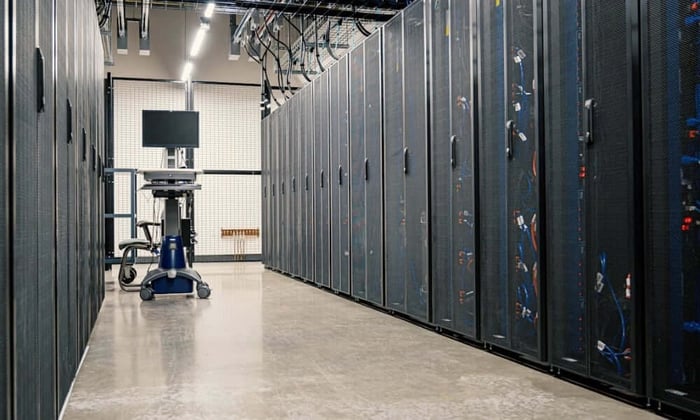
This is one of the most cost-effective changes an organization can make without swapping out any major equipment. The concept is simple: server racks are arranged so that cold air intakes face one aisle (the cold aisle) and hot air exhausts face the opposite aisle (the hot aisle). Physical containment barriers keep the two air streams from mixing.
Cold air goes directly where it's needed, into the front of the servers, and hot air gets efficiently routed out. Energy use drops because the cooling system isn't fighting itself trying to re-cool already-hot air.
This method works well as an overlay on an existing CRAC or CRAH setup and doesn't require tearing out infrastructure to implement.
Raised Floor Cooling
Raised floor systems distribute cold air through a plenum space beneath the floor, which then flows upward through perforated tiles positioned in front of server racks. It's a clean approach that delivers targeted airflow at the rack level.
The catch is that it requires careful tile placement and management. Poorly positioned tiles, or racks that don't align well with the floor grid can create dead zones where airflow is insufficient. It works best in purpose-built data center environments where the floor layout can be planned from the start.
Liquid Cooling Solutions
Direct-to-Chip Liquid Cooling
Air has limits. For high-density computing environments, GPU clusters, HPC workloads, and AI inference systems, air simply can't remove heat fast enough. Liquid cooling handles what air-based systems can't.
Direct-to-chip systems run coolant through cold plates attached directly to the CPUs or GPUs, generating the most heat. Liquid carries heat away far more efficiently than air, which means these systems can handle thermal loads that would overwhelm any fan-based setup.
The infrastructure investment is real, you're adding plumbing to your server environment, but for high-performance applications, the performance and reliability gains justify the cost.
Immersion Cooling
Immersion cooling takes a different approach entirely. Servers are submerged in a tank of non-conductive dielectric fluid. The fluid absorbs heat directly from every component, not just the hottest chips.
It's one of the most efficient cooling methods available. Fans become largely unnecessary, which means less noise, less mechanical wear, and lower energy use. Some facilities have reported meaningful reductions in power usage effectiveness (PUE) after switching to immersion.
The upfront cost and operational learning curve are substantial. The fluid requires management, and not all hardware is rated for immersion out of the box. That said, for large-scale or hyperscale deployments, immersion cooling is increasingly worth serious consideration.
Emerging Technologies Worth Watching
Free cooling uses outdoor air to supplement or replace mechanical cooling when ambient temperatures allow. In cooler climates, a facility can run entirely on free cooling for months at a time, dramatically cutting energy costs.
Evaporative cooling applies water evaporation to dissipate heat, which works well in dry climates where humidity isn't a concern. In the right geography, it's an energy-efficient middle ground between pure air cooling and full liquid systems.
AI-driven cooling management is gaining traction in larger data centers. These systems use real-time sensor data to adjust airflow, cooling capacity, and even workload distribution, responding to thermal conditions faster and more precisely than any static configuration.
How to Choose the Right Server Cooling Approach
There's no single answer that fits every environment. A small IT closet with a handful of servers has different needs than a multi-rack data center running around the clock.
For smaller setups, a well-maintained CRAC unit combined with good hot/cold aisle separation is often more than sufficient. The priority is making sure existing cooling is actually working as intended, not adding complexity for its own sake.
For medium to large environments, the conversation shifts to efficiency and scalability. Hot/cold aisle containment is almost always worth doing. If energy costs are a significant concern, free cooling or variable-speed systems can deliver meaningful savings over time.
For high-performance or high-density deployments, AI workloads, scientific computing, and large GPU clusters, liquid cooling is increasingly the practical choice rather than an exotic one.
Budget and long-term growth projections should drive the final decision. A system that handles today's load but leaves no headroom for expansion creates a planning problem down the road. Built-in capacity.
The Cost of Getting It Wrong
When server cooling is handled well, it fades into the background, which is exactly where it should be. Equipment runs at rated performance, downtime becomes rare, hardware lasts its full expected lifespan, and energy bills stay predictable.
The organizations that treat cooling as an afterthought are the ones dealing with emergency hardware replacements, scrambling through outage post-mortems, and explaining to leadership why the system went down. The ones that invest in it properly spend that time doing more useful things.
Server cooling isn't glamorous work. Ignore it long enough, though, and it becomes the most expensive line item in the budget.
Ready to protect your server room from costly temperature events? Contact Necto today and find out how real-time environmental monitoring can give your team the early warning it needs, before a small temperature spike becomes a very expensive problem.
FAQs
What is server cooling and why is it important?
Server cooling refers to the systems and methods used to regulate temperature in server rooms or data centers. Proper server cooling is essential because excessive heat can reduce performance, cause system throttling, and lead to hardware failure or costly downtime.
What happens if a server overheats?
When a server overheats, it may automatically slow down (thermal throttling) to prevent damage. If temperatures continue to rise, it can result in unexpected shutdowns, permanent hardware damage, or even data loss.
What are the most common server cooling methods?
The most common server cooling methods include:
CRAC (Computer Room Air Conditioning) systems
CRAH (Computer Room Air Handler) systems
Hot aisle/cold aisle containment
Raised floor cooling
Liquid cooling (direct-to-chip and immersion)
Each method varies in cost, efficiency, and suitability depending on your setup.
What is the difference between CRAC and CRAH systems?
CRAC systems use refrigerants to cool air, similar to traditional air conditioners. CRAH systems use chilled water from a central cooling plant. Both are widely used in server cooling, but CRAH systems are typically more energy-efficient in large-scale environments.
How does hot aisle/cold aisle containment improve cooling efficiency?
Hot aisle/cold aisle containment separates cold intake air from hot exhaust air. This prevents mixing, improves airflow efficiency, and reduces the workload on cooling systems, making it one of the most cost-effective server cooling strategies.
Is raised floor cooling still effective today?
Yes, raised floor cooling can still be effective when properly designed. It delivers cool air directly to server racks through perforated tiles. However, poor layout or tile placement can create airflow issues, reducing its effectiveness.
When should you consider liquid cooling for servers?
Liquid cooling is ideal for high-density environments such as:
AI workloads
GPU clusters
High-performance computing (HPC)
It removes heat more efficiently than air-based systems, making it a powerful server cooling solution for demanding applications.
What is immersion cooling and how does it work?
Immersion cooling involves submerging servers in a non-conductive liquid that absorbs heat directly from components. It is one of the most efficient server cooling methods, reducing the need for fans and lowering energy consumption.
What are common server cooling challenges?
Common challenges include:
Poor airflow due to bad rack layout
Cable clutter blocking ventilation
Increasing server density
Lack of temperature monitoring
Inconsistent ambient conditions
These issues can reduce the effectiveness of any server cooling system.
How can temperature monitoring improve server cooling?
Temperature monitoring provides real-time visibility into server room conditions. It alerts teams when temperatures exceed safe thresholds, allowing quick action before overheating leads to downtime or equipment damage.
What is free cooling and when is it useful?
Free cooling uses outside air to cool server environments when conditions allow. It is especially useful in cooler climates and can significantly reduce energy costs in server cooling operations.
How do you choose the right server cooling method?
Choosing the right server cooling method depends on:
Size of your setup
Server density
Budget
Energy efficiency goals
Future scalability
Smaller setups may rely on air cooling, while high-performance environments often require liquid cooling solutions.
How does poor server cooling affect business operations?
Inadequate server cooling can lead to:
Unexpected outages
Reduced system performance
Increased maintenance costs
Shortened hardware lifespan
Loss of productivity and revenue
Can better server cooling reduce energy costs?
Yes. Efficient server cooling methods like containment systems, free cooling, and liquid cooling reduce energy consumption by minimizing wasted airflow and optimizing heat removal.
Is server cooling a one-time setup or ongoing process?
Server cooling is an ongoing process. As equipment, workloads, and environments change, cooling systems must be monitored, adjusted, and upgraded to maintain optimal performance.