Table of Contents
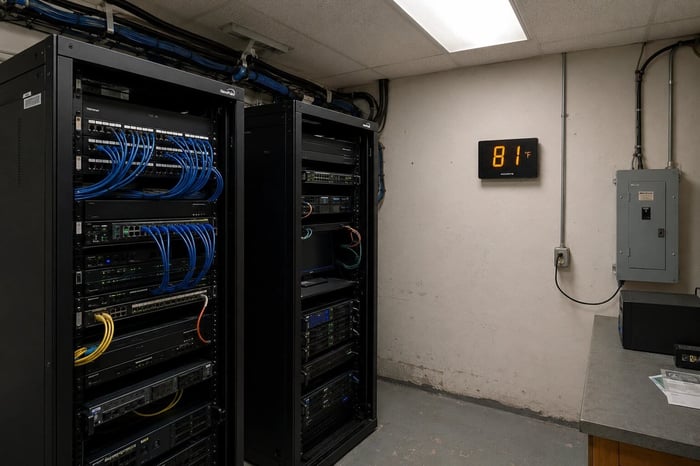
You probably spend more time thinking about your data center's cooling than you do about the wiring closet on the third floor. That closet has a managed switch, a patch panel, a UPS, and a door that gets propped open when it gets warm. IDF and MDF closet temperature monitoring is one of the most ignored thermal risks in offices and schools, and the equipment that fails from it is the same equipment that an entire floor depends on to stay connected.
IDF and MDF closets routinely reach 90 to 110 degrees Fahrenheit without dedicated cooling, and most managed switches are rated to operate only up to 104 degrees. That is a thin margin. A cellular sensor that alerts over 4G, independent of the local network, is the most practical way to catch a thermal problem before hardware fails.
Why Wiring Closets Heat Up Faster Than You Expect
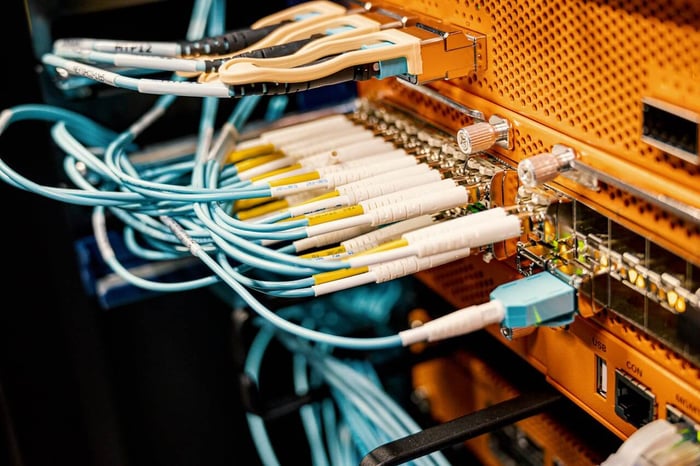
A single mid-range 48-port managed switch draws 100 to 150 watts of continuous power. Put two or three of those in an enclosed room the size of a bathroom, add a UPS and a couple of patch panels, close the door, and the space accumulates heat faster than most people account for. Most IDF closets were not designed as equipment rooms. They were built as utility spaces that happened to sit near a convenient cable run, with nobody engineering airflow into them.
The situation gets worse after hours. Many office buildings reduce HVAC to a minimal mode overnight and on weekends. If an IDF closet relies on conditioned air bleeding through ceiling tiles, that cooling disappears the moment the building enters its weekend schedule, right when the help desk is not watching. A switch running at 85 degrees all week can hit 100 degrees by Saturday morning, with no one aware of it.
What Sustained Heat Does to Network Hardware
Most enterprise network switches carry operating ratings up to 104 degrees Fahrenheit (40 degrees Celsius). Some extended-range models push that ceiling to 113 degrees (45 degrees Celsius). Equipment running near those limits throttles performance, wears out capacitors faster, and is more likely to fail hard during any additional stress, such as a brief power fluctuation or a traffic spike.
ASHRAE TC 9.9 Thermal Guidelines, widely referenced in data center planning, apply equally to the networking hardware in wiring closets. The recommended inlet air temperature for standard network equipment falls between 64 and 80 degrees Fahrenheit. Data center operators enforce this through dedicated CRAC units and hot aisle containment. IDF closets get a wall-mounted AC unit if they are lucky, and passive airflow through a ceiling tile if they are not. The damage from running near the thermal ceiling accumulates over months before anything visibly breaks. For reference, ASHRAE TC 9.9 publishes full thermal guidelines for data center and networking equipment.
The Monitoring Gap Nobody Has Solved
Standard network monitoring tools go blind the moment a switch fails from heat. Most IT teams find out about a failed wiring closet when a user calls to say the entire floor has lost connectivity. When someone finally checks the closet, the temperature has already recovered, leaving nothing to show anyone who asks why a three-thousand-dollar switch just needed replacement.
SNMP polling, performance dashboards, and network management platforms all rely on the switch being reachable. When that switch fails from heat, the monitoring path fails at the same moment. You lose visibility exactly when you need it most.
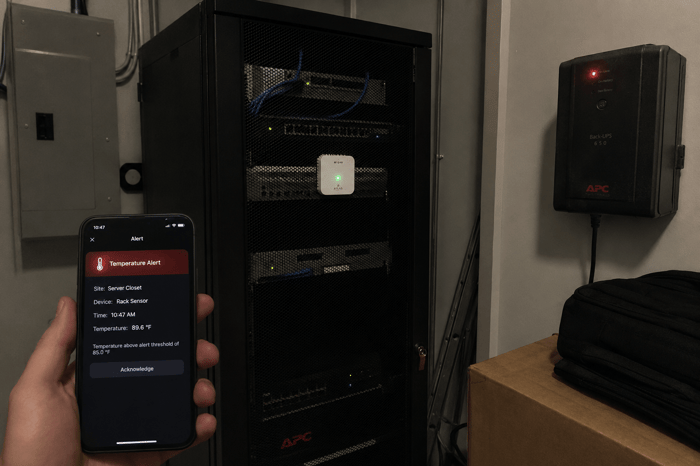
Cellular out-of-band monitoring changes what is possible. A sensor reporting over 4G sends alerts regardless of what the local network is doing. You find out about the thermal event while the equipment is still running hot, but before it shuts down, which is the only window where a response actually prevents the failure.
MDF and IDF: Same Problem, Different Scale
MDF rooms share the same fundamental monitoring gap as IDF closets, even when the spaces are larger. The main distribution frame typically sits near the building entry point, sometimes with a small split-system AC or a dedicated CRAC unit. Even so, MDF rooms in mid-size offices and schools frequently cool from general building HVAC, which shuts down after hours with no temperature monitoring tied to the gear inside.
IDF closets are where the problem is most widespread. A typical multi-story building or school has one MDF and three to fifteen IDF closets spread across floors and wings. Each one is a thermal failure point with no dedicated monitoring. Interestingly enough, the buildings with the least IT staffing, small offices, charter schools, and regional clinics tend to have the most IDF closets relative to the people available to catch a problem before it becomes an outage.
What to Measure and Where the Sensor Goes
Three measurements drive thermal risk in a wiring closet. The temperature at the equipment level is positioned near the air intake of the busiest switch rather than on the wall by the door. Humidity, because closets with exterior walls or poorly sealed vents can develop condensation during temperature swings, creating corrosion risk on circuit boards. And power status, because a tripped breaker or UPS failure is the event most likely to trigger a thermal cascade when cooling stops alongside the networking gear.
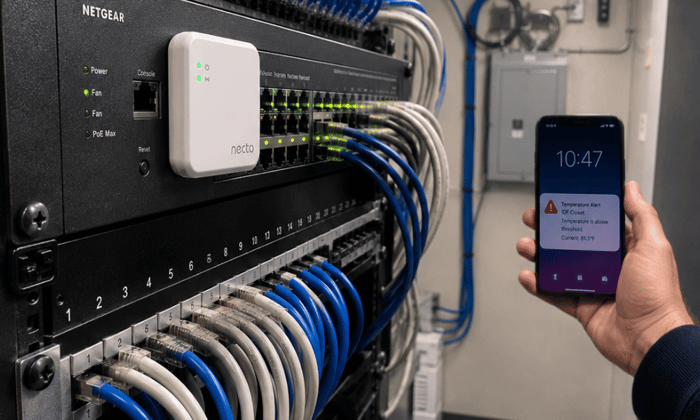
Placement is the detail most guides skip entirely. A sensor near the door reads ambient room air, which can run 10 to 15 degrees cooler than what the switch is pulling in. The right position is at the front face of the highest-density switch, at mid-rack height. For closets with both a switch stack and a UPS, a second sensor near the UPS gives a more complete picture during a power event.
Necto gives IT teams a cellular temperature and power monitor that works independently of the network it is watching. For IDF and MDF closets specifically, that independence is what makes it useful: the alert path cannot run through the switch that is approaching its thermal limit. Necto monitors temperature and power status continuously, sends alerts by text and through the app the moment readings cross set thresholds, and keeps running on its 72-hour rechargeable battery through a power outage. It covers the three measurements that matter most and requires no changes to the local network to set up.
IDF and MDF closets get less attention than data centers for one straightforward reason: nobody mapped the thermal risk for the people managing them. Data center cooling gets documented and enforced as infrastructure. A wiring closet gets a cable label and a padlock. The equipment inside is expensive, the downstream impact of a failure affects whole floors or wings, and getting thermal visibility into that space does not require a building management system or a full DCIM deployment. It takes a sensor in the right spot with an alert path that keeps working when the local network does not.
When an IDF or MDF closet fails from heat, the network running through it is typically the first thing that goes down, which means in-band monitoring is already dark before anyone gets an alert. Contact Necto today and get a cellular temperature and power monitor that keeps sending alerts even when the equipment it is watching goes offline.
FAQs
What temperature should an IDF closet stay below?
Most managed network switches are rated to operate up to 104 degrees Fahrenheit (40 degrees Celsius). A closet running consistently above 85 to 90 degrees is approaching the range where thermal stress accumulates and hardware failures become more probable. The target is keeping inlet air below 80 degrees Fahrenheit to stay within ASHRAE-recommended limits for network equipment.
Do IDF closets need dedicated air conditioning?
Not always, but they need a reliable source of cooled air. Many IDF closets cool adequately with a small wall-mounted unit or by drawing conditioned air through ceiling vents, until the building HVAC shuts down overnight or on weekends. A temperature monitor tells you whether passive cooling is actually keeping up during those hours.
Can existing network management tools monitor wiring closet temperature?
Standard network management tools use SNMP and depend on the switch being reachable over the network. If that switch overheats and fails, those tools lose visibility at the same moment. A cellular monitor operates independently and keeps reporting through a network failure, which is exactly when you need the information most. See how Necto handles this at getnecto.com.
Where should a temperature sensor be placed in a wiring closet?
Place the sensor at the front face of the busiest switch in the room at mid-rack height, where equipment actually draws in its cooling air. A sensor mounted near the door reads ambient room temperature, which can run 10 to 15 degrees cooler than what the switch is ingesting. For closets with a UPS, adding a second sensor near the UPS gives better coverage during a power event.
How often should wiring closet temperature be checked?
Manual checks are not enough. Temperatures in a small enclosed room can rise from normal to dangerous in under 10 minutes if a cooling source fails. Necto updates every 10 minutes under normal conditions and switches to real-time reporting when an alert threshold is crossed, giving you the timing detail needed to understand when a thermal event began.