Table of Contents
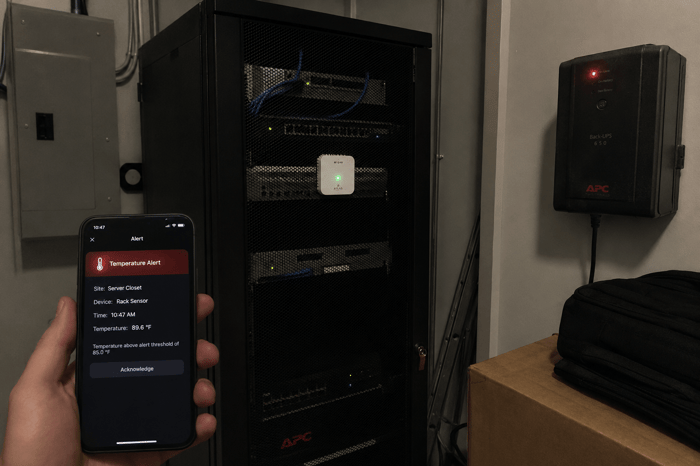
You manage IT equipment at a branch office, a retail backroom, or an IDF closet three hours away. The gear runs fine until it doesn’t, and the only reason you find out is because users start calling. If you have tried to monitor a remote server room using the same local network the equipment runs on, you already know the problem: the monitoring dies at the same time as everything else. This article walks through a practical approach to getting environmental monitoring in place at locations where local infrastructure is thin or unreliable.
To monitor a remote server room without Wi-Fi, use a cellular temperature and power sensor that connects over 4G LTE independently of the building network. Place it at the rack inlet of the highest-density equipment, set alert thresholds based on ASHRAE guidelines (64-81 degrees Fahrenheit for A1-class servers), and configure text and email alerts to reach your team directly.
Why Most Remote Server Rooms Go Unmonitored
The majority of edge IT locations have no environmental monitoring at all. The reason is straightforward: most monitoring tools require a LAN connection, an IP address, and SNMP polling, all of which depend on local network infrastructure that these sites either lack or share with other building systems.
Think about the typical edge deployment. It is a repurposed closet in a retail store, a spare room in a branch office, or a wall-mounted rack in a hallway. These spaces were never designed to house servers. They rarely have dedicated cooling, and nobody walks past to check on the equipment between service visits.
The first sign of a cooling failure at a remote site is a ticket from an end user reporting that something stopped working. At that point, the damage is already done.
What You Need to Track at an Edge Location
Three measurements cover the main failure risks at any remote server room: inlet air temperature, relative humidity, and power status.
ASHRAE TC 9.9 recommends inlet temperatures between 64.4 and 80.6 degrees Fahrenheit for standard A1-class servers. For a small closet with no dedicated HVAC, that upper limit arrives faster than most teams expect, especially in summer or when a shared building system cycles off overnight.
Humidity should stay between 40 and 60 percent relative humidity per ASHRAE guidelines. Below 40 percent, electrostatic discharge risk increases, and ESD can silently damage memory modules and processor sockets. Above 60 percent, condensation and corrosion become concerns.
Power status is the measurement most often left out of remote monitoring setups, and it is the one that matters most during an actual event. Cooling failures at edge sites are almost always triggered by power events: a breaker trips, a UPS fails, or utility power drops. Knowing when power goes out, and when it comes back, closes the gap between a problem starting and someone finding out.
The companion article on server room HVAC sensors covers sensor placement and HVAC-specific data in more detail.
How to Set Up Cellular Monitoring at a Remote Server Room
The setup process takes minutes. Here is how to get a cellular sensor running at a remote location without touching the building network.
Start by confirming cellular coverage at the site. A 4G sensor needs a cell signal, not a Wi-Fi password. Check signal strength on your phone during your next visit. Necto auto-connects to AT&T, T-Mobile, and Cellular One, so coverage across the U.S., Canada, and Mexico is broad.
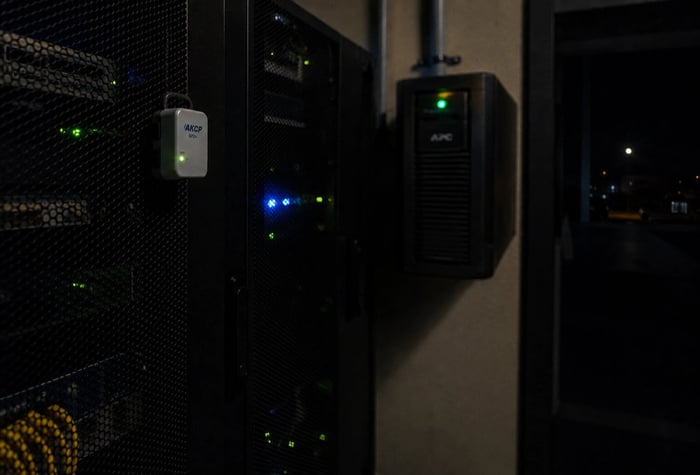
Place the sensor at rack inlet height, near the front of whatever rack or shelf holds the densest equipment. Placements near doors or ceilings read ambient room temperature, which tells you very little about what the equipment is actually experiencing.
Plug the sensor into a wall outlet. The device draws power from a standard 5V AC adapter, and the internal rechargeable battery takes over during a power outage. For Necto, that battery lasts 72 hours, which means you get alerts through an extended outage rather than going dark at the worst possible time.
Set your temperature thresholds. For edge closets without dedicated cooling, tighter thresholds make sense. Aim for an upper alert around 78 degrees Fahrenheit instead of waiting for the ASHRAE ceiling of 80.6 degrees. That gives your team a larger response window before equipment starts throttling or shutting down.
Add alert contacts. Necto supports up to five email addresses and phone numbers. Include at least one person who can physically reach the site or dispatch someone.
Run a quick test. Unplug the sensor briefly to confirm that power-loss alerts reach the right people. This takes 30 seconds and saves real frustration during an actual event.
Why Monitoring Should Never Share the Network It Watches
If your temperature sensor reports over the same network as the equipment it is watching, a single power or network failure takes both offline at the same time. You get no alert at the moment you need one most.
This is the correlated failure problem, and it is the most common blind spot in remote IT monitoring. IP-based sensors, SNMP-managed devices, and cloud-connected Wi-Fi sensors all share it. They depend on the same local switches and internet connections that go down during the events that trigger thermal emergencies.
Out-of-band monitoring breaks that dependency. A cellular sensor transmitting over 4G operates on a completely separate path from the building network. When the power goes out and the switches go dark, the sensor keeps alerting on its backup battery. For a single remote closet, that independence is simpler and cheaper than building network redundancy just to keep monitoring alive.
Interestingly enough, out-of-band management consoles have been standard practice in larger data centers for years. Edge locations rarely get that level of attention, even though the consequences of an undetected failure can be just as costly when the site supports a full office or retail store.
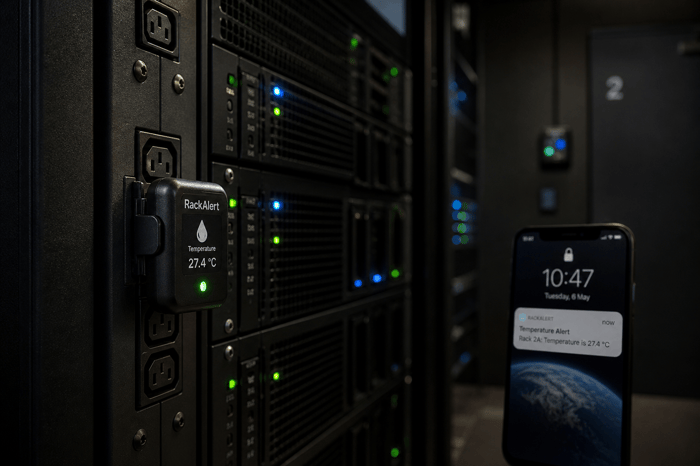
Necto works as an out-of-band monitoring layer that stays live when the building network goes dark. It connects over 4G cellular, tracks temperature and power status continuously, and pushes text and app alerts the moment readings move outside your set thresholds. The built-in 72-hour battery means it keeps reporting straight through a power outage without missing a reading. For remote IDFs, edge sites, or data closets where network uplinks are unreliable or nonexistent, that kind of independence from local infrastructure is exactly what closes the monitoring gap.
Getting a Remote Server Room Online in Under 10 Minutes
Monitoring a remote server room without local network dependency is simpler than most IT teams expect. The work comes down to choosing the right placement, setting thresholds that match the thermal reality of the space, and making sure the alert path does not share infrastructure with the room it is watching.
For any team managing equipment at sites they cannot easily visit, getting one sensor in place at the most vulnerable location is the first step toward catching problems before end users do.
If your server room loses cooling and the network goes down at the same time, you need a monitor that keeps alerting regardless. Contact Necto today and get a cellular temperature and power monitor that works independently of the network it is watching.
FAQs
Can I monitor a server room without an internet connection at the location?
Yes. Cellular sensors connect over 4G LTE using a built-in SIM card. They do not require Wi-Fi, LAN, or any internet connection at the building. Necto includes two years of cellular service with the device, so there is no separate data plan to manage.
What temperature should I set as an alert threshold for a remote IDF closet?
ASHRAE recommends inlet temperatures between 64.4 and 80.6 degrees Fahrenheit for A1-class servers. For edge closets without dedicated cooling, setting the upper alert at 78 degrees Fahrenheit gives your team a larger response window before equipment reaches the danger zone.
How quickly can a server closet overheat after cooling stops?
A small, enclosed closet with active networking and server equipment can exceed safe inlet temperatures in under 15 minutes after cooling fails. The exact timeline depends on equipment density, room size, and ambient building temperature. Power-loss alerts give you the earliest possible warning.
Do I need a separate cellular plan for a 4G server room sensor?
Necto includes a built-in SIM card with two years of cellular service included in the purchase price. After two years, service continues at $6.99 per month through the app. There is no separate carrier contract to set up or manage.